Field Manual No. 2 · Scams & account safety
When a stranger knocks on your phone, your inbox or your bank account,
Know who’sknocking.
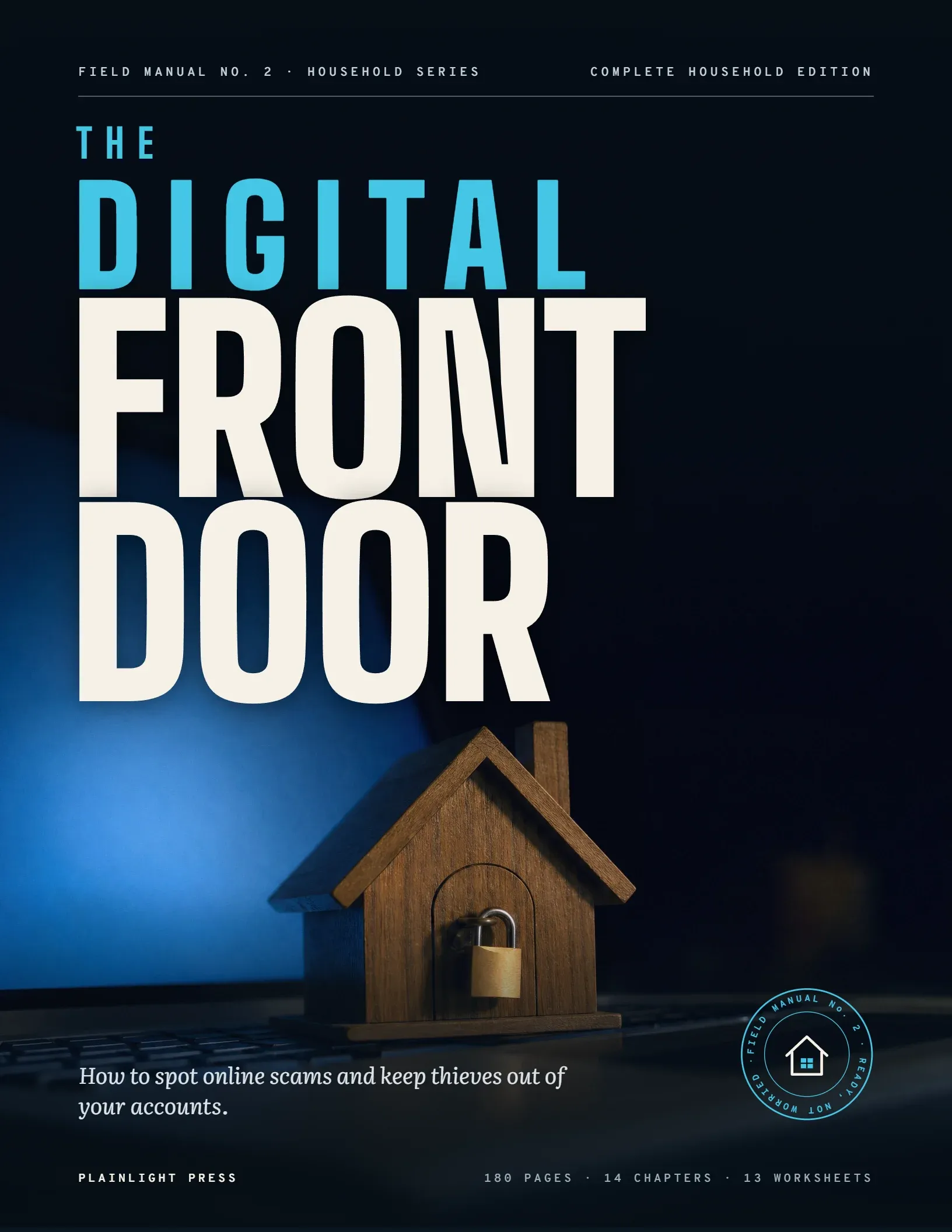
The Digital Front Door is a 180-page field guide to spotting online scams and keeping thieves out of your accounts: three simple habits, three strong locks, and a calm plan for the first 24 hours if something goes wrong. Plain English, no tech jargon.
- Instant PDF download
- Prints on any home printer
- 30-day money-back guarantee
Try it yourself
Spot the
scam.
Eight messages like the ones that land on American phones every day. For each one, decide: safe, or scam? Then see the red flags, and the Front Door Rule that stops it.
- Rule 1 Slow down.
- Rule 2 Use your own door.
- Rule 3 Never hand over the keys.
How the manual works
Three habits.
Three locks.
Most scams are stopped by three habits the book calls the Front Door Rules: slow down, use your own door, and never hand over the keys. Most account break-ins are stopped by three locks. The manual walks you through each one, setting by setting.
A long, different password for every important account, kept in a password manager or a safe written system at home.
- Cost
- Free or low cost
- Stops
- Break-ins with reused passwords
- See
- Chapter 5
A second check, such as a code or a passkey, so a stolen password alone can’t open the door.
- Cost
- Free
- Stops
- Sign-ins with a stolen password
- See
- Chapter 6
Account alerts, free credit freezes and a regular look at your statements, so you hear about trouble right away.
- Cost
- Free
- Stops
- New credit opened in your name
- See
- Chapter 11
- 180pages
- 14chapters
- 10master checklists
- 13printable worksheets
- 21day action plan
Look inside
Real pages.
Real steps.
These are actual pages from the manual: large, clear type, warnings you can’t miss, and step-by-step checklists. Select any page to see it full size.
What’s inside
Every chapter,
page by page.
Fourteen chapters in four parts: how scams work and how to recognize them, the locks that keep thieves out, what to do if someone gets in, and a 21-day plan that turns it all into habits. Open any chapter to see what it covers.
- Pages
- 180
- Chapters
- 14
- Worksheets
- 13
- Day plan
- 21
Know Who’s Knocking
p. 1101Who's KnockingHow Online Scams Really Workp. 12
“Scammers rarely pick the lock. They talk their way in.”
You will learn
- How big the scam problem has grown, by the numbers
- The six feelings scammers use to get past your guard
- Why smart, careful people get fooled
- The five stages of a typical scam
- The second scam that targets people who already lost money
- The habits and locks that keep most thieves out
Sections
- Why Scams Are Everywhere Now
- The Six Levers Scammers Pull
- How a Scam Unfolds
- The Good News: A Few Habits Stop Most Scams
02The Front Door RulesThree Habits That Stop Most Scamsp. 21
“Slow down. Use your own door. Never hand over the keys.”
You will learn
- The three Front Door Rules and why they work
- Ready-made words for hanging up politely
- How to check a message, a caller, a website or a person
- The red flags that mean stop, every time
- What to do if you've already paid
Sections
- The Three Rules at a Glance
- Rule 1 · Slow Down
- Rule 2 · Use Your Own Door
- Rule 3 · Never Hand Over the Keys
- How to Pause: Words for Hanging Up
- How to Verify, Step by Step
- Red Flags: Stop When You See These
03Impostors and EmergenciesThe Calls, Texts and Emails That Pretend to Be Someone You Trustp. 31
“A familiar name on the screen doesn't prove who's calling.”
You will learn
- Why impostors borrow names you already trust
- Government, bank and tech-support impostors and their tells
- Delivery, toll and account-problem texts
- Grandparent scams and AI voice cloning
- How to set up a family code word
- What to do if you already answered, clicked or paid
Sections
- How Impostors Get Through the Door
- Government Impostors
- Bank and Fraud-Department Impostors
- Tech-Support Scams and Fake Security Pop-Ups
- Delivery, Toll and Account-Problem Texts
- Family Emergencies and Grandparent Scams
- If You Already Answered, Clicked or Paid
04Money TrapsPrizes, Romance, Investments and Shopping Scamsp. 42
“Every money trap offers something you want, then asks for payment first.”
You will learn
- Why prize, romance and investment scams work on careful people
- How long-con romances and fake trading platforms unfold
- Crypto ATMs and why they are a red flag
- Fake stores, marketplace, ticket and overpayment scams
- Job, charity, rental and home-repair traps
Sections
- What Every Money Trap Has in Common
- Prizes, Lotteries and Sweepstakes
- Romance and Friendship Scams
- Investment and Cryptocurrency Scams
- Fake Stores, Fake Ads and Marketplace Scams
- Job and Work-from-Home Scams
- Charity, Disaster, Rental and Home-Repair Traps
- If You Have Paid
Lock the Door
p. 5205Strong LocksPasswords That Protect Youp. 53
“A stolen key should open one door, never every door.”
You will learn
- Why a reused password is an open window
- Data breaches in plain terms, and how to check yours
- Long passphrases you can actually remember
- Password managers and a safe paper alternative
- Which accounts to protect first
- The Three Locks that guard your digital front door
Sections
- The Three Locks
- Why One Password Isn't Enough
- Has Your Email Turned Up in a Breach?
- Passphrases: Long Beats Clever
- Where to Keep Them All
- Which Accounts to Protect First
06The DeadboltTwo-Step Verification and Passkeysp. 63
“A password is a latch. A second step is the deadbolt.”
You will learn
- What two-step verification is, in plain words
- Text codes, apps, security keys and passkeys compared
- Setting it up on your email first
- Backup codes and recovery details that prevent lockouts
- Why no honest caller ever needs your code
Sections
- What Two-Step Verification Is
- Your Options, in Plain Terms
- Set It Up on Your Email First
- Plan for Recovery
- Never Share a Code
07Secure Your DevicesPhones, Computers, Tablets and Home Wi-Fip. 71
“Locks on your accounts matter less if the doorframe is rotten.”
You will learn
- Updates, screen locks and the protection already built in
- Safe app habits and what app permissions mean
- Locking down your home Wi-Fi router
- Backups, and wiping a device before it leaves your house
- Basic settings for smart TVs, speakers and doorbell cameras
Sections
- Updates: The Cheapest Protection You Own
- Lock the Screen
- The Protection That Comes Built In
- Safe App Habits
- Lock Down Your Home Wi-Fi
- Public Wi-Fi and Travel
- Backups: Your Safety Net
- Before You Sell, Give Away or Recycle a Device
- Smart TVs, Speakers and Doorbell Cameras
08Email, Texts and CallsFiltering the Knock at the Doorp. 80
“A knock at the door is not an order to open it.”
You will learn
- How to read a suspicious email or text in two minutes
- Why your bank's real number can appear on a scam call
- Blocking and filtering tools on your phone and email
- What the Do Not Call Registry does and does not do
- What to do, step by step, with a message you doubt
Sections
- How to Read a Suspicious Email or Text
- Caller ID Spoofing: Why the Number Can Lie
- Blocking and Filtering Tools
- The Do Not Call Registry and Its Limits
- What to Do With a Suspicious Message
09Shopping, Banking and Paying SafelyWhere Your Money Moves, and How to Keep It Yoursp. 88
“How you pay matters almost as much as who you pay.”
You will learn
- Why a credit card is your strongest shield online
- How payment apps work, and why sent money rarely returns
- Gift cards, wires and crypto: the payments scammers ask for
- Bank alerts and statement checks that catch trouble early
- A five-minute check before you buy from a new website
Sections
- Not All Payments Are Equal
- Credit Cards: Your Strongest Shield
- Payment Apps: Fast, Friendly and Hard to Undo
- Gift Cards, Wires and Crypto: The Payments Scammers Ask For
- Online Banking Safety
- Checking a Website Before You Buy
- If Money Has Already Left
10Your Digital FootprintSocial Media, Privacy and Oversharingp. 98
“Scammers do their homework. Make their homework harder.”
You will learn
- What a stranger can learn from a public profile
- Privacy settings in plain words, and where to find them
- Fake friend requests, cloned profiles and risky quizzes
- People-search sites and how to ask them to remove you
- Sharing photos and travel plans without giving too much away
Sections
- What a Stranger Can Learn About You
- Privacy Settings in Plain Terms
- Fake Friend Requests and Cloned Profiles
- Quizzes and "Fun" Posts That Collect Answers
- People-Search Sites: Who Is Listing Your Address?
- Sharing Photos and Travel Plans Safely
If Someone Gets In
p. 10511Guard Your IdentityCredit Freezes, Alerts and Monitoringp. 106
“A credit freeze is free, fast and fully reversible.”
You will learn
- What identity thieves want and the clues they leave
- Credit freezes and fraud alerts, and which you need
- Freezing your credit at all three bureaus, step by step
- Checking statements and your free weekly credit reports
- Guarding your Medicare, tax refund and Social Security
- Keeping thieves out of your mailbox
Sections
- What Identity Thieves Want
- Freezes and Fraud Alerts
- How to Freeze Your Credit, Step by Step
- Watch the Accounts You Already Have
- Medical Identity Theft and Your Medicare Statements
- Tax Identity Theft and the IRS IP PIN
- Social Security: Claim Your Account First
- Keep Thieves Out of Your Mailbox
12The First 24 HoursWhat to Do the Moment Something Goes Wrongp. 116
“The first hour is for action, not for blame.”
You will learn
- Why speed matters more than embarrassment
- Stopping or recalling money, payment by payment
- Changing the locks, starting with your email
- Where to report, and what each report does
- Keeping a recovery log that protects you
- Spotting the recovery scam that often follows
Sections
- Why Speed Beats Shame
- Your First 24 Hours
- Helping Someone Else Through It
13Protecting the People You LoveFamily Talks, Trusted Contacts and Warning Signsp. 126
“Nobody guards the front door alone.”
You will learn
- How to talk about scams without blame
- Trusted contacts, alerts and call blocking for a parent
- A family code word, and safe habits for grandkids and teens
- Powers of attorney and managing someone else's money
- Warning signs of financial exploitation, and who to call
Sections
- Start With a Conversation, Not a Lecture
- Helping an Aging Parent Stay Safe
- Grandkids, Teens and the Family Code Word
- Caregivers, Powers of Attorney and Other People's Money
- Warning Signs of Financial Exploitation
Make It Stick
p. 13314The 21-Day Digital Front Door PlanThree Weeks, One Task a Day, a Safer Householdp. 134
“One small task a day, and a safer household in three weeks.”
You will learn
- How to work the plan at your own pace
- Week 1: lock your email, passwords, phone and credit
- Week 2: check your accounts, devices, Wi-Fi and privacy
- Week 3: bring the whole household on board
- A year-round calendar that keeps the locks working
Sections
- How to Work the Plan
- Keeping the Door Locked All Year
Print, Post & Keep
Who it’s for
Written for everyday people, not tech experts.
This manual is for you if…
- You want to recognize a scam call, text or email before it costs you anything.
- You’d like your email, bank and phone accounts locked down, without becoming a computer expert.
- You look after parents or grandparents and want to help them stay safe without taking over.
- You want a calm plan for the first hours if something does go wrong.
- You like clear steps, large type and checklists you can print.
It is not…
- Technical. Every term is explained in plain words the first time it appears.
- A scare book. Good, smart people get fooled; there’s no shame in it here.
- A product catalog. It recommends no brands and sells you nothing else.
- A substitute for your bank, the police or official fraud reporting.
- 01
Calm, not fear
Scammers rely on panic. This book teaches the opposite: slow down, check, and act with a clear head.
- 02
Plain English, no jargon
Short sentences and real examples, so every step makes sense the first time you read it.
- 03
Built on official guidance
Drawn from published guidance by the FTC, the FBI’s Internet Crime Complaint Center, CISA, the CFPB and other official sources.
The Digital Front Door is an independent publication. It is not affiliated with or endorsed by any government agency or company named in it.
Get the manual
Everything in one book. One price.
- Format
- PDF, instant download
- Page size
- US Letter, 8.5 × 11 in
- Pages
- 180
- Works on
- Computer, tablet, phone
- Printing
- Any home printer
- Navigation
- Clickable contents & bookmarks
- The Digital Front Door180-page PDF, Complete Household Edition
- 14 chapters in 4 partsScams, passwords, two-step verification, devices, payments, identity theft and family safety
- Think You’ve Been Scammed? Start HereAn emergency index that points you to the right page fast
- The 21-Day Digital Front Door PlanOne short task a day, with the time and cost of each
- Master checklistsEvery lock and every setting, ready to print
- 13 printable worksheetsAccount inventory, trusted numbers, credit freezes, a family code word and more
- Wallet cards & quick referenceThe Front Door Rules by every phone, and who to call
One-time payment · No subscription
Instant download. Gumroad shows your download link right after checkout and emails it to you with your receipt.
30-day money-back guarantee
Read it, print it and put it to work. If the manual isn’t right for your household, reply to your Gumroad receipt within 30 days of purchase for a full refund.
Better value
Get all three manuals for $597 (save $231)
The Complete Library adds The Home Front Manual and The Kitchen Table Money Plan.
Secure checkout by Gumroad, the seller of record for every order.
Questions
Straight answers.
Still deciding? Here is what people usually ask before they order.
Do I need to be good with computers?
No. Every step is written for everyday users, with the why explained before the how. Where menus differ between phones and computers, the manual tells you what to look for and points you to the maker’s official help pages.
Will it tell me which apps or products to buy?
No. It recommends no brands and sells you nothing. It names a company or service only when you need the name to recognize a scam or follow official instructions.
I think I’ve already been scammed. Will this help?
Yes. Chapter 12 is a step-by-step plan for the first 24 hours, and the Start Here page sends you straight to it. If money has left your account, call your bank or card issuer right away, using the number printed on your card.
Is it only about computers?
No. It covers phone calls, text messages, email, social media, online shopping and banking, payment apps, gift-card demands and family emergency scams.
Can it help me protect my parents?
Yes. Chapter 13 covers how to help a parent or grandparent stay safe with respect, from a family code word to account alerts a trusted helper can see.
Where does the information come from?
From published guidance by the Federal Trade Commission, the FBI’s Internet Crime Complaint Center, the Cybersecurity and Infrastructure Security Agency, the Consumer Financial Protection Bureau and other official sources. It is an independent publication and is not endorsed by those agencies.
How do I get my book after I order?
Checkout is handled by Gumroad. Right after you pay, Gumroad shows your download link and emails you a receipt with the link, so you can download the PDF again any time.
What format is it? Can I print it?
It’s a PDF laid out on US Letter pages (8.5 × 11 in). It works on computers, tablets and phones, with a clickable table of contents and bookmarks, and it prints on any home printer.
What if it isn’t right for my household?
You’re covered by a 30-day money-back guarantee. Reply to your Gumroad receipt or use our contact page within 30 days of your purchase for a full refund.
Can I print copies for my family?
Your purchase covers your household. Print as many copies of the checklists, worksheets and quick-reference pages as your household needs.
Is it political?
No. There’s no politics in any of our books, just practical steps.
Is checkout secure?
Yes. Gumroad processes every order through an encrypted checkout and acts as the seller of record, handling payment and sales tax. We never see your card details.
Can I get all three manuals together?
Yes. The Complete Library includes all three manuals for $597, $231 less than buying them one at a time at $276 each.
Lock up tonight
Ready,
not worried.
Three weeks from now, your accounts can be locked, your family can share a code word, and you’ll know exactly what to do if a stranger knocks.
Get the Manual $276